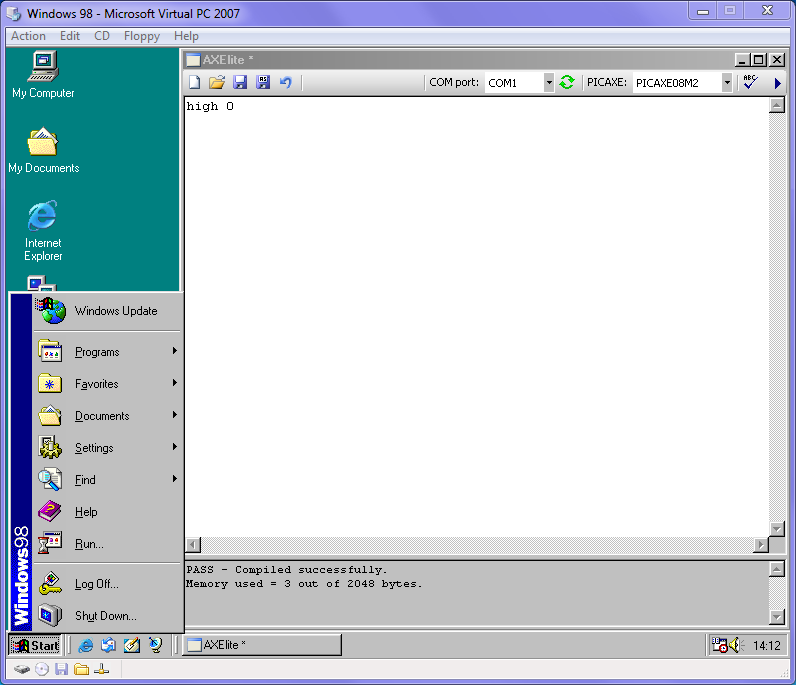
I have a problem in that some of the laptops available at my school are still running Windows 98SE rather than the XP system that I normally use. Is it possible to obtain a earlier installation program for Edit and Serial Link?
Earlier versions of the Programming Editor do NOT support the latest chips (M2 series) and possibly some features on the newest X2 series chips. If you don't use the newest chips, someone probably has a copy of an older version of PE stashed away somewhere.
John
Last edited by papaof2; 07-02-2012 at 15:20. Reason: spelling
I just went through my downloads folder and the oldest installer I have is Programming Editor version 5.4.0. The installer is 70MB. It probably isn't compatible with Windows 98 anyway.
As you say that you only need to program and serial link, have you tried AXEPAD?
Actually forget that. Unless you can figure out which patch to install if there is one.
Hippy has previously explained about ATL security flaws that require a fix not compatible with Windows 98. Installing Linux and using linaxepad is a possibility.
Many thanks for the advice Nick. It is that security file srcvw4.dll among other things that appears to be missing. In my case none of the laptops will ever be connected to the web so security is the last of my problems. You suggestion of using Linux is interesting but clearly it would be easier for me if I could get a pre security copy of Edit. Best wishes Richard
Do the command-line PICAXE compilers work on W98? Rev-Ed (used to, at least) offer a Visual Basic .NET demo program with source code to assist writing your own PICAXE IDE - if the laptops don't have colour screens and/or you won't mind going without colour syntax highlighting then install .NET 2.0 on Windows 98 (it works) and add open and save buttons and dialogs to the AXE.NET Demo - Open code: if opendialog1.dialogresult = dialogresult.OK then : textbox1.text = my.computer.filesystem.readalltext(opendialog1.pat h) : endif. Save code: if savedialog1.dialogresult = dialogresult.ok then : my.computer.filesystem.writealltext(opendialog1.pa th, textbox1.text, false) : endif.
Dear Nick, I,m not sure how I check whether the compilers work in Win98. I checked the version number of a picaxe system I already operate on an ancient main frame 98SE and it's 5.02 so I guess your elderly installer 5.04 is probably not compatable. I shall try out your suggestions and let you know if I make any progress but in the meantime if you can suggest where I might get an installer version 5.02 it would be very helpful. Incidentally I tried transferring my editor piecemeal into the laptop and placing system files as I went but eventually the system locked up without indication of which file it needed. Awful piece of amateur hacking, I know but for a moment it appeared to be solving my problem. Best wishes, Richard
This should answer that question...
http://www.picaxe.com/docs/beta_compiler.pdf
According to http://www.picaxe.com/Software/Drive...AXE-Compilers/ the compilers will work on NT4, so they may run under Win98SE in DOS mode. I do not have a version of the OS here to check, but you can download and give it a try.
Thank you for that advice John. The version I used with school projects some years ago was 5.02 and I can still use this on an ancient mainframe. My problem is that I have four self build buggy kits that I want to use in a school project and the only available laptop is restricted to Win 98SE. Unfortunately I failed to save the installation software for edit and hence my appeal. As you say someone must have copy somewhere. Richard
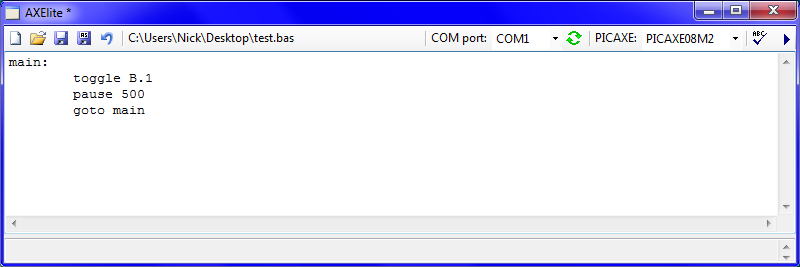
It's not Programming Editor, but it's my play at using Rev-Ed's VB.net example compiler use and it provides core functionality like saving, opening, syntax check and programming. As it uses .NET 2.0, it will run on Windows 98 as long as the .NET framework is installed.
To use, simply unzip the program from the attached zipped folder, put the compilers from here into a folder called 'compilers' in the same directory as the executable and run the executable. Including the compilers in the zipped folder attached goes against Rev-Ed's licensing rules and they exceed the forum file size limit anyway.
Unfortunately, it is quite primitive compared to Programming Editor regarding the functionality of the text editor - no line numbers, no colour syntax and no automatic tabs.
Also consider downloading my PICAXE Calculator program for wizards/calculators for, currently, the compsetup, hintsetup, settimer, tmr3setup, adcconfig, dacsetup and hsersetup commands. Get it in this post.
The editor does, however, gets rid of the message box that appears after each download in favour of a small textbox at the bottom of the window but in the image above you can't see it as it is resized to the minimum size with the thin bar you can see.

Last edited by nick12ab; 05-05-2012 at 19:46.
Many thanks for that one Nick. I'll report back to you once I 've checked it out. Best wishes Richard
Bookmarks